Sunday, December 4, 2011 0 comments

Steps Forward...


Sharing my Learning
In terms of sharing my learning and Web 2.0 tools with other professionals, I am going to continue putting my voice out there, whether it be through staff room conversations, holding impromptu learning sessions to answer colleagues questions about technology, making presentations during our staff meetings or Tweeting about our technology use, etc.  I am determined to spread the use of technology to other teachers and students.  I will continue to use the tools with my students and report on our progress to others who are willing to listen in an attempt to show others that the tools can be engaging, inspiring and academic in nature.  Just by sharing the tools with my students, they will share them with their parents, siblings, friends, etc. which will help in my attempt to get the word out to others.

Surprisingly, mostly to myself, I would also like to continue blogging as another venue for getting my voice heard.  It may not be at Richardson’s (2010) academic level of blogging, but I would like to use blogging as a setting for sharing my own and my students learning through technology in the classroom.

Web 2.0 in the Classroom
There are a number of ways in which I would like to continue or begin to use Web 2.0 tools in the classroom:
·      Continue to use Google Apps for communicating through e-mail and our classroom website with parents and students. 
·      Continue to use Google Docs for students to share their writing and to help one another with revising and editing their work.
·      Continue to use Evernote to maintain records of student achievement and learning.
·      Allow students access to their own blogs to allow for authentic audiences in their writing and to encourage commenting on other students’ blogs to further discussions about our learning.
·      Use Diigo to assist students with bridging the gap between researching using only textbooks and library books to using online websites, without getting lost in the jungle of the online universe.
·      Introduce students to the process of using Animoto to display their learning and understanding as well as continue to create videos that share our classroom learning with other professionals, parents and students.

Continuing to Move Forward
As our inquiry projects and our EDES course wind down, I realize that I still have a lot to learn in terms of Web 2.0.  I have come a long way since the beginning of the term and there is no way that I want to go back now.  I have been inspired and challenged by the learning that has occurred and I would like to continue that into the future.  These are some of my own goals that I would like to continue past the completion of this course:
1.     To continue to blog, but more in a classroom setting and the things that I am attempting with my students.
2.     To incorporate those Web 2.0 tools listed above into my own classroom before the end of the school year.
3.     To continue to be engaged with my online Professional Learning Network through Twitter and RSS Blog feeds.
4.     To investigate the possibilities of social communication through Skype in the classroom.
5.     To continue to be informed about Web 2.0 tools as well as look forward towards Web 3.0.
6.     To continue to share and encourage fellow colleagues to use Web 2.0 tools in their classrooms.

Baby Steps
This is Only the Beginning
Through this inquiry project, I have learned a lot about myself both personally and professionally.  I have been challenged, engaged, inspired and motivated to learn more.  Although I have learned how to walk in a Web 2.0 world, I am nowhere near running.  These first few wobbly steps have been just what I have needed to push me further into becoming a better teacher and learner.  I look forward to what the future has in store and am confident that I have the basis that I need to ensure that I can recover from any stumbles as well as continue to grow and challenge both myself and my students through the use of Web 2.0 tools.

Reflection: Wordle Style

References
Richardson, W. (2010). Blogs, wikis, podcasts, and other powerful web tools for classrooms. Thousand Oaks, CA: Corwin Press.


0 comments

Celebrating Success!


Learning Progress
As I have said, prior to this inquiry, technology was always a part of my life.  However, Web 2.0 has not been.  I have learned a great deal and will always continue to have more to learn when it comes to Web 2.0, not even to mention Web 3.0 (O’Connell, 2011).  Here is a look at some of the things that I have learned and the areas that I feel I could still improve in each of the tools that I have chosen.
Success

RSS
1.    Blogging and RSS
Successes
·      I have developed a network of blogs that provide professional development opportunities.
·      I have become consistent in my online reading habits, ensuring that I keep on top of the information that is being delivered to me and feeling less overwhelmed.
·      I have published my thoughts and ideas for others to read.  My blog is out there for the world to read and I have actually had visitors from my blog from as far away as France, Germany and Russia, which is extremely motivating to continue.
·      Before starting to blog, I knew absolutely nothing about HTML and never thought I would.  Through my blog, I have learned a lot by using a custom layout, embedding videos and customizing colors.
·      I am comfortable enough with blogging that I am ready to integrate blogging into the classroom and move towards Kist’s (2010) idea of a “new literacies classroom” (pg. 8).  I am looking forward to providing my students with an authentic audience to direct their writing as well as providing a window into our classroom for parents.  I want my students to have that motivation that Campbell (2011) mentions that can come from the “recognition that they receive from their peers,” just as I have received from blogging myself (pg. 8).  I also want my students to realize that “the point of writing is [not only] to have something to say [but also] make a difference in saying it” (Wiggins, 2009).  The only way for them to realize this is to have that authentic audience.

Room for Improvement
·      I do not believe that I have reached Richardson’s (2010) level of academic blogging that I intended to (pg. 31).  Through my blog, I have been able to focus my time on self-reflection and realizing what it is that I think about technology (Blake-Plock, 2009), but I still struggle in the areas of analysis and synthesis over the longer time periods that Richardson (2010) speaks of in order to reach that level of “complex blogging” (pg. 31).  This does not discourage me because I have accomplished a lot in terms of my blog and have learned a great deal over the past couple of weeks.  This only gives me motivation to learn more and to improve myself as a blogger.
·      I also need to improve in my own advertising of my blog.  Once again, it is hard to put myself out there and so I did not invite fellow professionals (through Twitter) to read my blog as often as I should have been.  I realize that feedback from other professionals creates the opportunity for further learning and conversation and so this is an area that I would like to continue to improve in.

Twitter
2.    Twitter
Successes
·      This is by far my favorite of the tools that I have explored!
·      I have developed a Professional Learning Network that I can rely on for advice, support, suggestions, ideas, etc. in many curriculum areas.
·      I have become a bit of a Twitter addict (which I am alright with and can admit freely) through TweetDeck, which allows me to keep up to date with Twitter news and manage Tweets that I would like to return to at a later date.
·      I understand the language and format of a Tweet, know how to direct Tweets to specific people, use and search hashtags, etc.

Room for Improvement
·      I am still working on being concise in my Tweets to ensure that I stay under the 140 character maximum.  At times, I have to re-write a Tweet multiple times to get it right.
·      I need to work on putting my own ideas out there more often.  I have no problem re-tweeting other peoples posts, replying to questions directed at me, or reading through everyone else’s Tweets, but I need to be more consistent at Tweeting about my own classroom and professional topics that I am encountering.
·      I am still weighing the pros and cons for using Twitter in the classroom.  I think my students would really enjoy it and again, it would give them an authentic audience to right to, but right now my top priority is the integration of blogs.

Diigo
3.    Diigo, Delicious and Evernote
Successes
·      Through Diigo and Evernote, I have managed to tackle my endless supply of bookmarks, resources, websites, etc. and create organization out of the chaos.  I feel comfortable now that when I save a link I will be able to return to it without frustration or wasted time. 
·      Evernote has helped to organize my classroom anecdotal records and has made me more consistent in writing things down right away.  My iPad, opened up to Evernote, is always close by so that I can jot down observations, successes and areas that students need to continue to work on, on a daily basis. 
Evernote
·      I have become better and more consistent at reflecting upon my lessons because of the notes that I am taking through Evernote.  I can keep track of the difficulties that multiple students are having which makes me in turn reflect upon the ways that I have presented that information and how I can present it better for those students.
·      I have learned how to create shared lists, as Berger and Trexler (2010) talk of, in order to share sites with my students are allow them to carry out research.  My students are not yet ready to use sites such as Google to conduct research, but I can use Diigo to compile a list of student friendly websites and teach students how to carry out online research in this way.

Room for Improvement
·      I need to remember to take advantage of the social aspects of Diigo.  I would like to look further into the area of RSS and Diigo in order to further expand my Professional Learning Network, but was unable to get there due to all of the other information that I was already collecting with other tools. 

Glogster
4.    Glogster
Successes
·      I was able to create a Glogster presentation on the benefits of Twitter to present to fellow colleagues.  It was well received and some of the Division 2 teachers even asked me more about Glogster itself. 
·      I was able to push my own creative boundaries and moved towards “merg[ing] the left and right sides of [my] brain as [I sought] to communicate and evaluation both information and meaning (Dyck, 2009).

Room for Improvement
·      To find ways to differentiate student tasks and allow for the incorporation of Glogster as a potential tool that the students could use.
Glogster is one of the tools that I personally did not overly enjoy.  I can still see the benefits for students in the ways that it can allow the “opportunity for self-expression and develops their creativity,” but it would not be my first choice as a classroom tool (Wikipedia, 2011). 

Animoto
5.    Animoto
Successes
·      I was able to create an Animoto video to improve my presentation to Parent Council about the current technology that is used in our classroom.  This resulted in Parent Council approving the purchase of iPads for our school.
·      I have created numerous videos of classroom activities to show to students and parents, which allows parents to have a window into their child’s day in the classroom and has increased conversations between parents and students as well as myself and parents about our day to day activities.
·      As I frequently use my iPhone to take pictures and/or videos, my students are becoming more aware of the importance of showing their best work.  They are aware that I am capturing their successes and areas of improvement so that I can generate conversations and further learning.  The use of the technology in the classroom is not a distraction, but rather, a motivator for students to perform at their own personal best and to ask for assistance from their peers or myself when they are struggling.

Room for Improvement
·      I would like to take my learning a step further by showing the students how to use Animoto to capture their own and their peers learning.  The tool is so user-friendly that I have no doubts that the students can use it as easily as I can. 
·      I would like to incorporate the videos that I am creating into a blog that showcases our classroom learning and activities.  This could then work as a portfolio of our learning in the classroom as well as a reflection tool for myself to see exactly what worked and what needs to be improved upon.

Goodreads
6.    Goodreads and Shelfari
Successes
·      I have generated a list of professional resources that I have added to my “to-be-read” list that will improve my own teaching and learning.

Room for Improvement
·      In order to use this tool in a personal manner, I need to find more time to read for pleasure (which, unfortunately, is not very likely to happen).

Although I preferred Goodreads to Shelfari, I was not a big fan of either tool.  Unfortunately, I just do not have the time to read for pleasure like I used to, in order to fully appreciate the “social cataloguing” features of this tool (Wikipedia, 2011).  After beginning my exploration and realizing that I just could not make the time, I had hoped that I could incorporate Goodreads into my professional life in order to create discussions about professional resources.  Unfortunately, the discussions are just not there about the professional resources that I have read or would like to read. 

Not only do the discussions not exist on Goodreads about the professional resources, but also I did not like the forum feeling of the discussions that did exist.  If I am discussing a book, I would like to discuss it in the here and now, rather than post a comment and then wait for someone to respond, which could take a lot of time.  I have had discussions, particularly about the Daily 5 and CAFÉ resources, on Twitter, which is more suitable to the discussions that I was envisioning.  I am able to have a discussion, or chat, with other users in real time, with responses occurring right away rather than waiting around.

Jing
7.    Jing
Although it was not a part of my inquiry proposal, Jing is a tool that I have used a number of times throughout the process that I have also had a number of successes with and that I would like to continue to use into the future.

Successes
·        I have successfully created a number of Jing videos describing the process that I went through to explore and learn various tools in my inquiry project.
·        I have shared these videos with other teachers in the hopes of showing them how easy the tools are to use.

Room for Improvement
·        I would like to explore the possibilities of using Jing in the classroom for the students to teach one another the tools that we are or will be using.  As Gliksman (2011) discusses, “the best way to learn anything is to teach someone else.”  I think Jing would provide that perfect opportunity for students to reverse the roles and become the teacher in a manner than does not create the pressure or nervousness of the live audience.

References
Berger, P., & Trexler, S. (2010). Choosing web 2.0 tools for learning and teaching in a digital world. Santa Barbara, CA: Libraries Unlimited Inc.

Blake-Plock, S. (2009, September 11). Why teachers should blog [Web log message]. Retrieved from http://teachpaperless.blogspot.com/2009/09/why-teachers-should-blog.html

Campbell, K. (2011, August). New technologies and the English classroom. English Leadership Quarterly, 34(1), 7-10.  Retrieved October 1, 2011, from ProQuest Education Journals. (Document ID: 2422748771).

Dyck, B. (2009, February 27). Hooked on Glogster: Posters 2.0 [Web log message].  Retrieved from http://www.educationworld.com/a_tech/columnists/dyck/dyck037.shtml.

Gliksman, S. (2011, November 19). Turning students into teachers [Web log message].  Retrieved from http://ipadeducators.ning.com/profiles/blogs/turning-students.

Kist, W. (2010). The socially networked classroom, teaching in the new media age. Thousand Oaks, CA: Corwin Press.

O’Connell, J. (2011, September 3). The next big thing is web 3.0 [Web log message].  Retrieved from http://heyjude.wordpress.com/2011/09/03/the-next-big-thing-is-web-3-0/.

Richardson, W. (2010). Blogs, wikis, podcasts, and other powerful web tools for classrooms. Thousand Oaks, CA: Corwin Press.

Wiggins, G. (2009). Real-world writing: Making purpose and audience matter. English Journal, 98(5), 29-37.  Retrieved November 10, 2011 from Eric.

Wikipedia contributors. (2011). Glogster EDU. Wikipedia, the free encyclopedia.  Retrieved September 25, 2011, from http://en.wikipedia.org/wiki/Glogster_EDU

Wikipedia contributors. (2011). Goodreads. Wikipedia, the free encyclopedia.  Retrieved September 29, 2011, from http://en.wikipedia.org/wiki/Goodreads


Saturday, December 3, 2011 0 comments

Learning to Walk: A Look Back


Step by Step
Learning to Walk
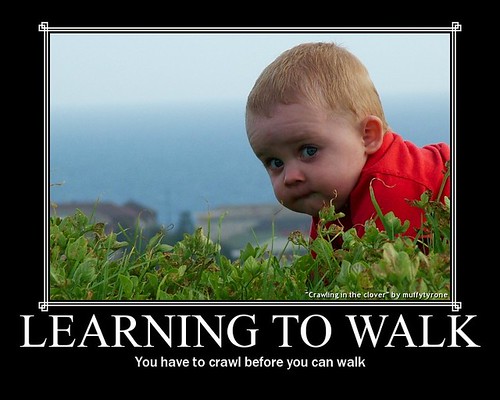
Last year, I was fortunate enough to be around my nephew (who was then around a year old) when he was first learning how to walk.  Being the first baby in the family, it was a rollercoaster of emotions ranging from feeling proud and joyful to the anxiety and nervousness that he was going to fall.  I loved watching every wobbly step but wanted to rush in to catch him if his wobble turned into a stumble or a fall.  I learned through that experience, and with many reminders from my sister-in-law, that if he didn’t go through that process of wobbling and stumbling on his own then what would be the point of learning to walk, if he always had somewhere there to catch him and put him back on his feet? 

Weaving my way through this inquiry process brought me back to this same experience, only this time I was the one learning how to walk and stumbling my way through it.  I think that when I began this inquiry process I had the intention to stand and run, meanwhile forgetting about the stumbling and walking that comes prior.  Lucky for me, through the tools that I chose, I had many others that could offer me a shoulder to hold, in order to keep me on my feet.  The professional community that I have discovered became my cheering crowd, motivating me to continue to take baby steps.  I may not have stood and ran like I intended, but I believe that I am well on my way.

Reflecting on Personal and Professional Goals
Four goals were the basis and the foundation of my inquiry project.  While I may not have accomplished every aspect of all four, I am on my way and I have no intention of turning back now.

Professional Learning Network
1.     How can Web 2.0 tools be used to grow and expand my Professional Learning Network outside of my school environment?
When I think about this goal, Twitter immediately jumps to my mind.  I was very cautious about entering the “Twitterverse” prior to beginning this inquiry because of the thoughts of having another Facebook-like account that brought me useless information about the day-to-day lives of people that I don’t even know.  Being very selective in my choices of who to follow has allowed me to very successful grow an online Professional Learning Network through Twitter.  My intention with Twitter was to use it as a professional development tool and so I have only chosen to follow individuals who use their Twitter account as a professional tool.  I do not want to know about when these individuals went to the grocery store or that they went to see a movie, so I do not choose to follow individuals who Tweet personally.  Instead, the groups of professionals that I have chosen to follow provide me with enormous amounts of support, ideas, and learning opportunities sent directly to my devices each and every day. 
Twitter

The greatest benefit that has occurred from my Twitter usage is the support that I have for the integration of technology as well as Daily 5 in my classroom.  There is a large group of teachers out there who, like me, are exploring either technology and/or Daily 5 in their classroom and are reaching out for support.  In the wide world of the online universe, it feels great to be able to reach out and find support from, basically, strangers who are willing to help in any way possible. 

The other aspect of my Professional Learning Network has come through my Google Reader and RSS feed.  At first, I was a bit overwhelmed by the sheer volume of information that was delivered to my Google Reader each day, but slowly I began to realize that I did not have to follow every blog that I found one good post from or that I did not have to fully read every post that was delivered.  Again, begin selective in which blogs I choose to follow has allowed me to create a great basis of information that relates to those areas in which I am specifically looking for professional development (Daily 5 and Technology) as well as some personal opportunities such as blogs about my community of Fort McMurray.  Also, realizing that if a post was delivered that maybe I was not interested in or did not relate to my teaching and learning situation, it was perfectly fine to skim over or completely bypass. 

Over the past couple of weeks I have added and removed blogs from my Google Reader account and users from my Twitter following list and I will continue to make adjustments as my teaching and learning situation grows and changes.  This inquiry process has allowed me the opportunity to discover and develop a group of professionals who I can relate to and learn through and with as we all continue to grow and change in our professional lives.

Clutter
2.     How can Web 2.0 tools be used to better organize the enormous amounts of information that I am exposed to on a daily basis?

Technology has finally become my organizational friend instead of my enemy.  Prior to beginning this inquiry process, I had long since given up on any hope of finding a way to organize myself in this online world.  Bookmarks, useful lesson plan ideas, interesting articles, recipes, etc. all became part of a cluttered mess of information that I never had the opportunity to look back at and use to their full potential.  A notebook sat beside my computer so that I could jot down notes of useful links that I had found, but then finding the information in the notebook also became a monotonous task, or the notebook was not around when I found something useful on another device. 

Evernote and Diigo have become two of my favorite tools for becoming organized in this great big online universe.  The fact that they can be loaded onto all of my devices and link everything back to one central “warehouse” of information that has categories, tags and a fully developed organization system, has allowed me to take control of the information that I want to use instead of the information taking control of me.  I no longer feel overwhelmed or lost in the midst of great information because I can take control and organize it in a manner than allows me to return to it and pull out at a later date without any frustration.

It has also taught me to be more diligent in the organization in other areas such as my e-mail or documents and files on my computer.  I have learned to make clear folders and labels in order for each piece of information to have a logical “drawer” in my extra large filing cabinet of digital information.  I no longer have pages of e-mails that cause important messages to get lost in the mess or dozens of files thrown into a generic folder that makes it impossible to find.


3.     How can I integrate the use of Web 2.0 tools into the classroom setting at a primary level?

Now that I have become more comfortable with a number of these tools on my own, I am ready to take steps to encourage the same from my students.  Part of the roadblock that held me back previously was the thought that the technologies were too advanced or beyond the ability level of my young students.  I had forgotten that my students have grown up as what Prensky (as cited in Kist, 2010) calls “digital native[s],” with this technology all around them and that, in many cases, I had not given them enough credit (pg. 6).  They can handle it and so as a class we are now ready to take that next step forward.

Many of the tools that I explored are designed with education in mine and are so user-friendly that students would be more than capable of using them in order to further expand the depth and breadth of their learning, as well as create additional motivation factors. 

I have taken baby steps thus far, with the use of Google Apps accounts in the classroom and introducing the idea of blogging to my students.  We are beginning with looking at other students’ blogs and the writing that occurs in those venues as well as forming comments and the implications of putting our work online for the whole world to see.  Students are remarkable in the ways that they can surprise you and display such maturity and understanding of the world as a whole.  They seem to understand the importance and implications of putting their work out there and take it seriously.  We will now be ready to take on the blogging world after our Christmas break.

Sharing Information
4.     How can I share the uses and possibilities of these technologies with other teachers in a way that inspires them to use them in their classrooms?

This is the goal that I have had the most difficulties with.  Coming from a small school with a lot of teachers that would be considered “digital immigrants” (Prensky, 2001), it has been a difficult and slow process.  Luckily for me, I have administration on my side with wanting the technology to be used to inspire students and to be integrated into their learning.

Through my Professional learning group, I have been able to give suggestions, tips and strategies for using technology in the classroom but I still feel that the technology is not being used to its full potential.  I continue to offer tutorials about how to use the technology, arrange webinars on various technological subject areas and assist teachers in any way possible.  I have also show very basic ways that tools such as Glogster, Animoto and Google Apps can be used with students in an attempt to inspire teachers to do the same. 

A lot of my support comes from my own students.  The technology that we use in our classroom sticks with them and they end up talking about it with students from other classes. As technology is very motivating and inspiring, other students want to be able to do the same in their classrooms and then ask their teachers if and when they can use the tools as well. 

I have not had a lot of success as of yet with the tools that I explored through my inquiry, but I am not ready to give up yet.  I have successfully encouraged teachers to use tools like Google Apps, Raz-Kids, online review games, etc. with their students so I think it will just take more time, assistance and persistence to allow teachers to become comfortable with the tools and in turn use them with their students.

References

Kist, W. (2010). The socially networked classroom, teaching in the new media age. Thousand Oaks, CA: Corwin Press.

Prensky, M. (2001). Digital natives, digital immigrants. On the Horizon, 9(5), 1-6. Retrieved October 10, 2001, from ProQuest Education Journals. (Document ID: 10.1108/10748120110424816).

 
Sunday, November 27, 2011 0 comments

Teacher Education

This week I read a blog post by

Five Big Changes to the Future of Teacher Education

I also read a post about a programs that are being created to help teachers prepare to teach in a digital world (namely teaching courses online).  This would reqiure a very different outlook on teaching and presenting a course than the traditional classroom setting would.  The only arguement is whether it should be taught to at the undergraduate or only the graduate level.

Education Schools Lag Behind In Virtual-teacher Training

Thursday, November 24, 2011 0 comments

RSS Stiletto Style

Perfect Stilettos
Imagine that you have a black tie event to go to on Saturday night.  Of course to complete the outfit you need the perfect pair of stilettos (sorry guys!)  So what do you do?  You go shopping at every shoe store you can find.  Of course, the perfect pair of stilettos are never found where you go looking first.  After looking for a while and becoming exhausted, you go home and figure you have time to go back and look again another day.  A few days later you go back to that same first store and lo and behold, the perfect pair of stilettos are right there on the second shelf beside the bedazzled stilettos that you would never even consider wearing.  They are brand new in stock so it is a good thing that you returned to find the shining shoes.  Shopping for a pair of shoes is just that; exhausting, time consuming and you never know when the perfect pair are going to come in stock at a store that you have already checked.

This is how I sometimes feel when I am looking for information on the internet.  One day I could search and search for art lessons and never find anything inspiring.  A day later I can return to the same site and all of the sudden they have the perfect project just waiting for my arrival.

How often do I have to return to a site in order to ensure that I am not missing the important things?  Thanks to Google Reader and RSS, the answer is never!  Basically, my stilettos come to me!

RSS - "real simple syndication" according to Wikipedia (2011).  That is exactly what Google Reader is!  Real simple and it organizes common information.  With my Google Reader account, I never have to worry about missing those new possibilities that get posted to websites that I have already visited.  As Richardson (2010) states, its "getting the good stuff when I want it" (pg. 77).  If I find a site that frequently has information that is useful and I enjoy reading, I simply have to subscribe to the site and all the new posts will be sent directly to my devices. 

Google Reader in Plain English

*Some changes have occurred to the share features of Google Reader which you can read about here.
Over this term, I have subscribed to many sites, from our course blogs, to blogs outlining technology in primary classrooms to blogs about my community of Fort McMurray.


The biggest thing that I have found is not to get too carried away with RSS feeds.  At the beginning, I would read a post, enjoy it and subscribe to the blog.  This meant that I received every post created on that blog.  This led to an overwhelming number of posts being delivered to my devices, many of which I had no interest in reading.  Just because I liked one post did not necessarily mean that the overall blog was for me.  I have become more diligent at looking over the blog of the post that I enjoy prior to subscribing to see if it is worth my while, or subscribing temporarily to see whether or not I would enjoy reading it on a more consistent basis.

With this in mind, the idea of "shopping" for information on the web becomes a lot more simple.  I can now stay on top of my Google Reader account, which has actually allowed me to develop a meaningful list of blogs that account for a portion of my Professional Learning Network.  The blogs that I follow are there for a reason and I enjoy seeing the inspiring ideas that come from them each day.

References

Richardson, W. (2010). Blogs, wikis, podcasts, and other powerful web tools for classrooms. Thousand Oaks, CA: Corwin Press.

Wikipedia contributors. (2011). RSS. Wikipedia, the free encyclopedia.  Retrieved November 20, 2011, from http://en.wikipedia.org/wiki/Rss
 
;